WebXash — Half-Life / CS 1.6: Browser Start & Setup Guide
A WebXash frontend for Half-Life and Counter-Strike 1.6. Full games use your own valve/cstrike folders or ZIP; the interface also lists Half-Life demo choices.
By GameHub editorial · Content updated 2026-10-10 · Page checked 2026-10-10
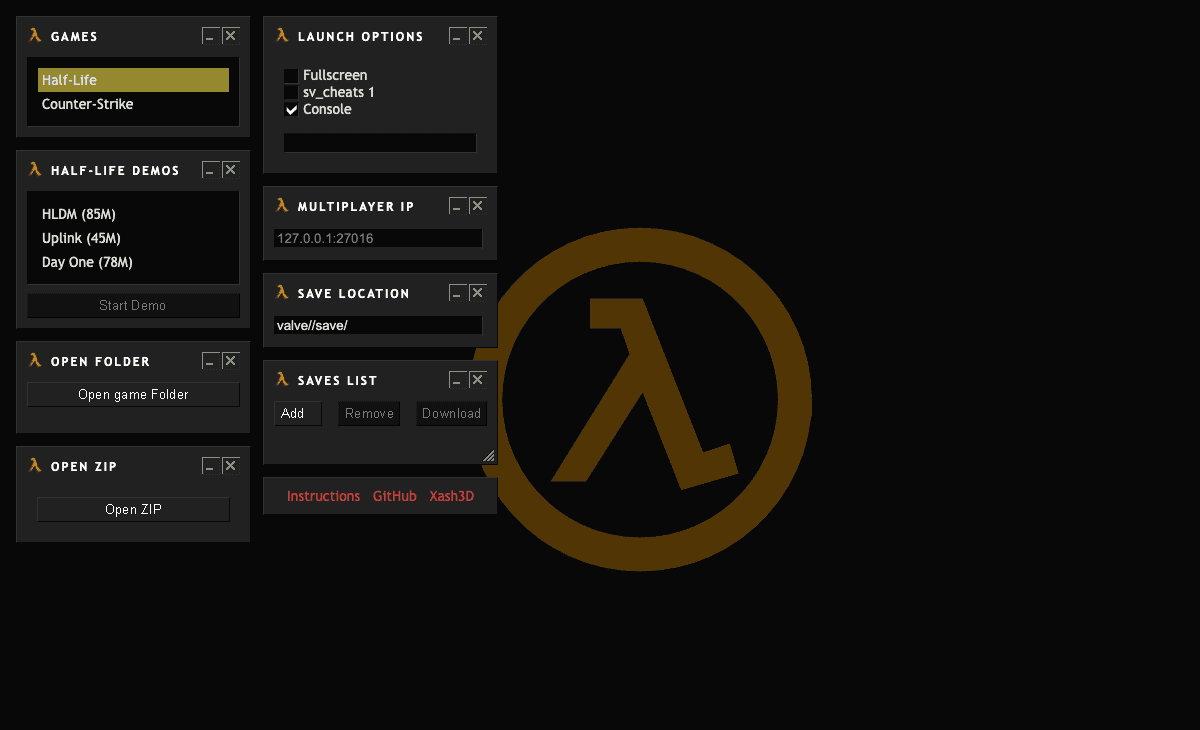 Start page capture
Half-Life/Counter-Strike selectors, demo choices, Open game Folder, Open ZIP and launch/save controls rendered. We read the linked README’s own-file and input requirements. No demo, file import or server was started.
Requirements and unknowns
What this project is
WebXash supplies a browser frontend for the Xash engine. The project README explains own-file loading and separate multiplayer-server setup.
Where to start
Use the original project link above. The game runs on that site.
- Prepare your own compatible Half-Life or Counter-Strike game data.
- Choose Open game Folder for a parent folder containing valve and/or cstrike, or Open ZIP for an equivalent archive.
- Select the game and review launch options. A separate websocket-compatible server is needed for multiplayer, according to the README.
Before troubleshooting
The project recommends keyboard and mouse for this port. The save manager is disabled for CS 1.6, according to its README. We did not load files or run a demo.
Our recorded observation
Desktop Tabbit / Chromium on macOS, 1280 × 800 viewport; entry-page inspection, not a mobile-device test. · 2026-10-10 · Level: page
- Open the original project and identify the rendered entry or setup interface.
- Read visible start choices and requirements; do not supply files, create an account or join a match.
Destination observed: https://x8bitrain.github.io/webXash/. Access can change after a check; this is not a live status monitor.
Report a problemGo straight to the source.
- WebXash — Half-Life / CS 1.6 original project Page observed: 2026-10-10
- WebXash — Half-Life / CS 1.6 README and setup Page observed: 2026-10-10