GTA: Vice City Web: Browser Start & Setup Guide
An unofficial Vice City WebAssembly project that imports game.tar.gz from your own game copy. The setup page includes local save and skin options; GameHub supplies no game data.
By GameHub editorial · Content updated 2026-10-10 · Page checked 2026-10-10
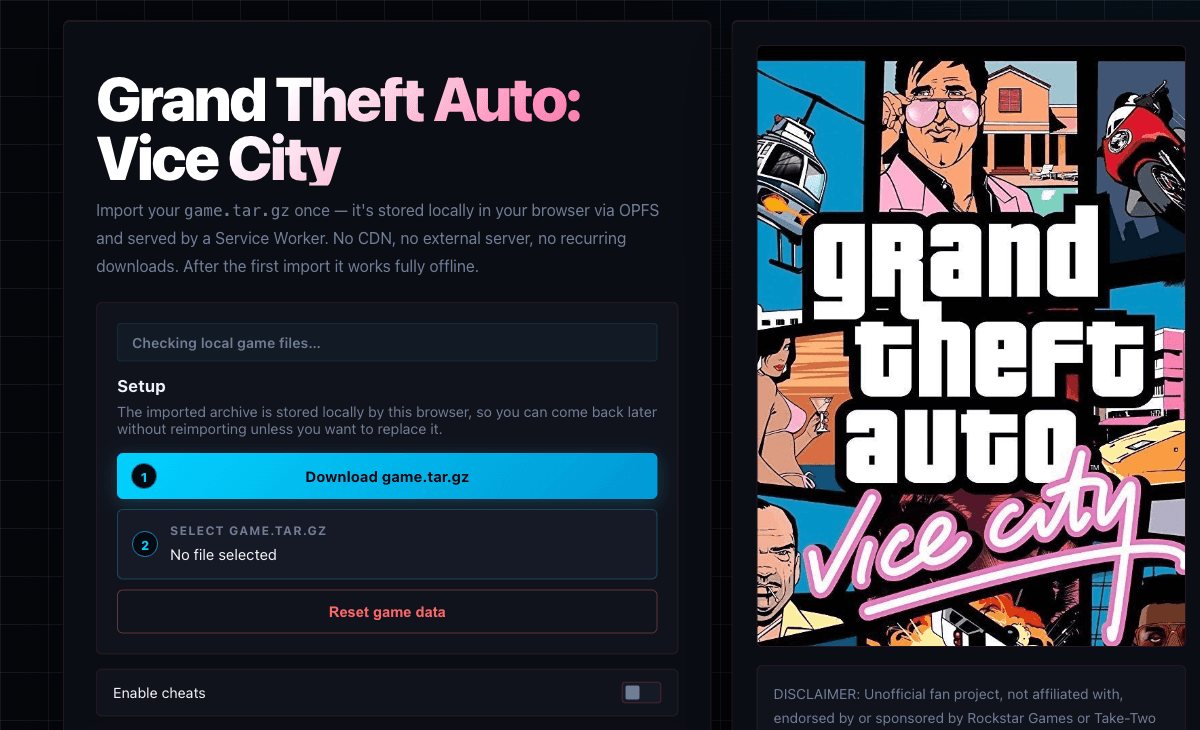 Start page capture
The Vice City setup page rendered with archive selection, disabled Start to play, saves/skins options and its own-copy disclaimer. We did not download or import game data or test gameplay.
Requirements and unknowns
What this project is
This is a Vice City browser client, separate from GTA V. Its disclaimer requires a legitimate copy of the original game.
Where to start
Use the original project link above. The game runs on that site.
- Prepare a compatible game.tar.gz from your own game data using the project’s instructions.
- Use Select game.tar.gz on the original setup page and wait for import to complete.
- Choose Start to play after setup is ready. Do not clear site storage if you want to retain imported data.
Before troubleshooting
The project says imports and saves stay in this browser and describes offline reuse. We did not import an archive, test offline behavior or press Reset game data.
Our recorded observation
Desktop Tabbit / Chromium on macOS, 1280 × 800 viewport; entry-page inspection, not a mobile-device test. · 2026-10-10 · Level: page
- Open the original project and identify the rendered entry or setup interface.
- Read visible start choices and requirements; do not supply files, create an account or join a match.
Destination observed: https://joncodeofficial.github.io/gta-vice-city-wasm/. Access can change after a check; this is not a live status monitor.
Report a problemGo straight to the source.
- GTA: Vice City Web original project Page observed: 2026-10-10