The Simpsons: Hit & Run: Browser Start & Setup Guide
A WebAssembly browser project that reached the animated New Game menu after selecting Play. Our check covers startup only; missions, driving controls, saving and complete game-data requirements remain untested.
By GameHub editorial · Content updated 2026-10-10 · Menu reached 2026-10-10
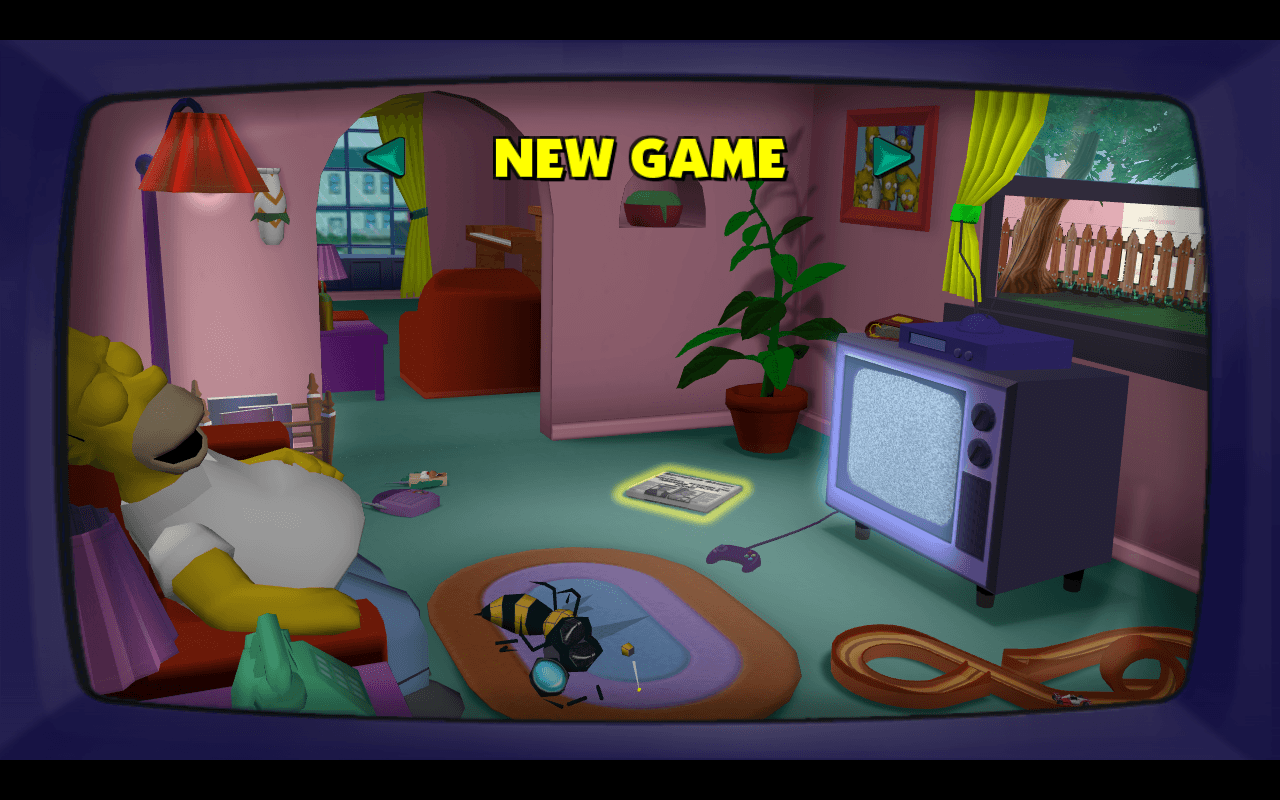 Menu capture
The page identified itself as The Simpsons: Hit & Run - WASM. Selecting Play after loading produced the rendered New Game menu with the Simpsons living room. No game files, account or payment were supplied during this startup inspection. Missions, input controls, saving, mobile compatibility and complete content availability were not tested.
Requirements and unknowns
What this project is
This is the WebAssembly browser project at shar-wasm.cjoseph.workers.dev. Our collected destination includes ?skipmovie, and that same address was used for the check.
The browser rendered the New Game menu after Play. That observation does not establish that missions, driving, saving or the full original game work.
Where to start
Use the original project link above and keep the loading tab open.
- Open the project and wait for the loading progress to finish and Play to become available.
- Select Play once and allow the canvas to initialize. It can take time before the menu appears.
- At the New Game menu, follow the project’s current input prompts. GameHub has not checked keyboard or controller bindings.
If Play leads to a blank canvas
An earlier attempt left a disabled Play button without a recognizable menu. A later inspection in GPU-enabled Chromium rendered New Game. Check browser graphics support and report whether the loader, Play button or game canvas is visible.
No local game files, account or payment were supplied in our startup check. That limited observation does not establish the source, permission or requirements for complete game content. Saving and mission progress remain unchecked.
Our recorded observation
Desktop Chromium 154 on macOS, 1280 × 800 viewport; menu inspection with a GPU-enabled browser. Mobile play and in-game controls were not tested. · 2026-10-10 · Level: menu
- Open the collected original URL with its existing skipmovie parameter.
- Wait for the Play button to become available and select it.
- Wait for the canvas to render and observe the New Game menu; do not start a mission.
Destination observed: https://shar-wasm.cjoseph.workers.dev/?skipmovie. Access can change after a check; this is not a live status monitor.
Report a problemGo straight to the source.
- The Simpsons: Hit & Run original project and startup Page observed: 2026-10-10