Return to Castle Wolfenstein: Browser Start & Setup Guide
The mp_beach multiplayer browser project built with iortcw. Its host warns of an initial download of about 380 MB and recommends desktop Chrome.
By GameHub editorial · Content updated 2026-10-10 · Page checked 2026-10-10
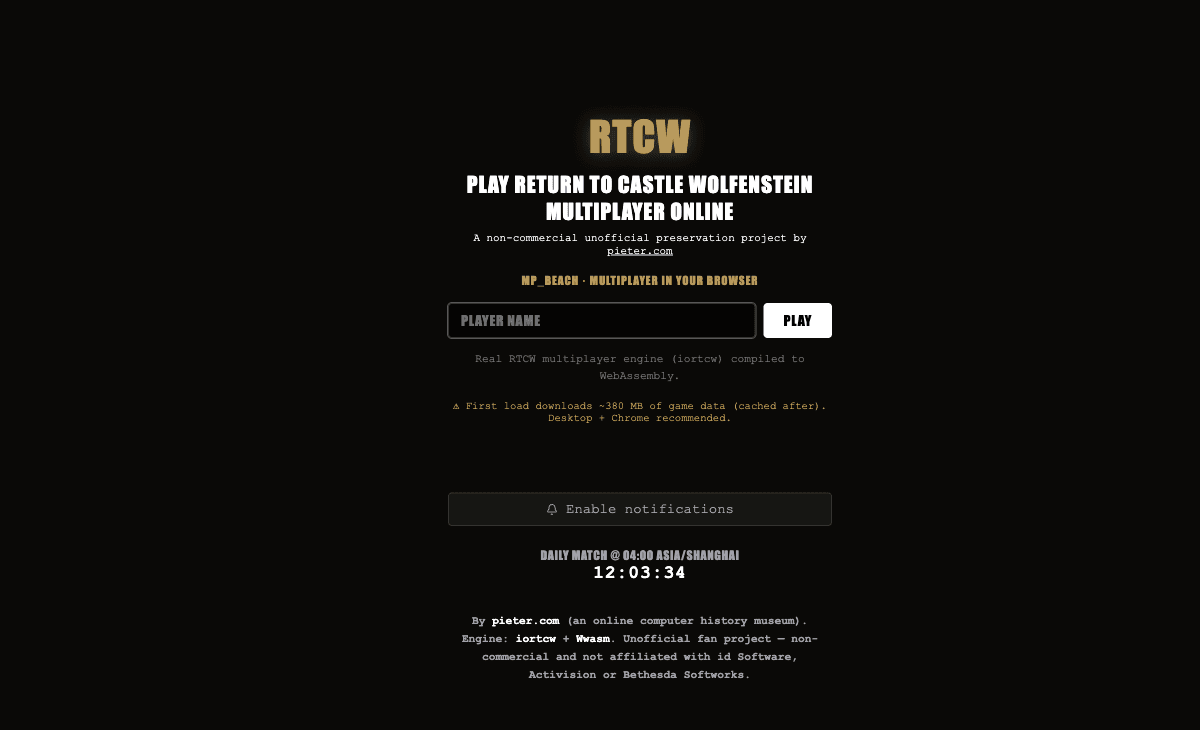 Start page capture
The RTCW project, mp_beach scope, name-entry launcher, iortcw attribution and approximately 380 MB first-load warning were read on the rendered page. No download or multiplayer session was started.
Requirements and unknowns
What this project is
This entry presents RTCW multiplayer on mp_beach. It does not establish access to the complete single-player campaign.
Where to start
Use the original project link above. The game runs on that site.
- Use a desktop browser; the project recommends Chrome.
- Enter a player name and choose Play.
- Allow the first data load to finish. The project estimates about 380 MB and says later visits use cached data.
Before troubleshooting
On a stalled load, record whether the name-entry page, data download or server connection is visible. No measured loading time or multiplayer match is claimed here.
Our recorded observation
Desktop Tabbit / Chromium on macOS, 1280 × 800 viewport; entry-page inspection, not a mobile-device test. · 2026-10-10 · Level: page
- Open the original project and identify the rendered entry or setup interface.
- Read visible start choices and requirements; do not supply files, create an account or join a match.
Destination observed: https://rtcw.pieter.com/. Access can change after a check; this is not a live status monitor.
Report a problemGo straight to the source.
- Return to Castle Wolfenstein original project Page observed: 2026-10-10