Quake III Arena: Browser Start & Setup Guide
A Quake III multiplayer browser project with a name-entry launcher, current-map information and player listings. Mobile and gamepad support are project claims, not our play-test results.
By GameHub editorial · Content updated 2026-10-10 · Page checked 2026-10-10
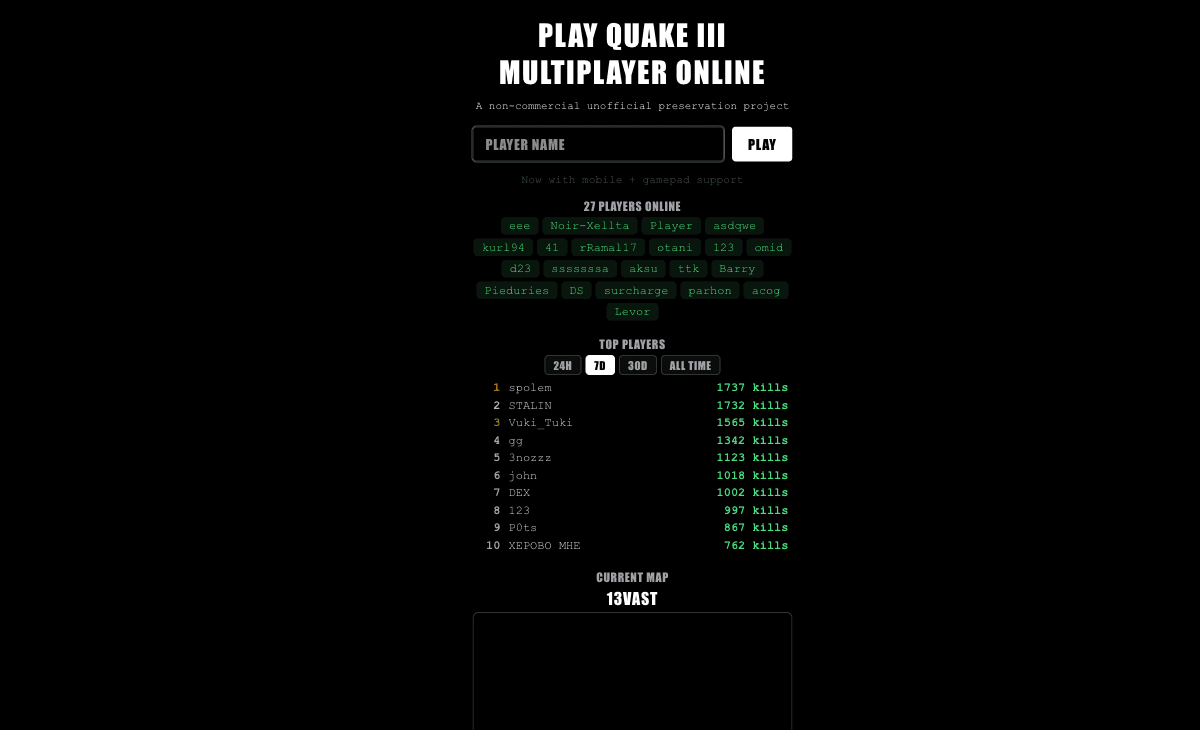 Start page capture
The Quake III entry rendered with a player-name field, Play action, map information and player listings. No game was launched, and mobile/gamepad claims were not independently tested.
Requirements and unknowns
What this project is
The q3.pieter.com entry is an unofficial, non-commercial multiplayer project. It is distinct from the Quake II browser entry.
Where to start
Use the original project link above. The game runs on that site.
- Enter a player name and select Play on the original project.
- Allow engine and map loading before trying game input.
- Use the project’s current instructions for your input device; we have not checked mobile or controller gameplay.
Before troubleshooting
Player counts and rankings are live project data. They do not establish that a visitor’s device can join or complete a match.
Our recorded observation
Desktop Tabbit / Chromium on macOS, 1280 × 800 viewport; entry-page inspection, not a mobile-device test. · 2026-10-10 · Level: page
- Open the original project and identify the rendered entry or setup interface.
- Read visible start choices and requirements; do not supply files, create an account or join a match.
Destination observed: https://q3.pieter.com/. Access can change after a check; this is not a live status monitor.
Report a problemGo straight to the source.
- Quake III Arena original project Page observed: 2026-10-10